Never miss it
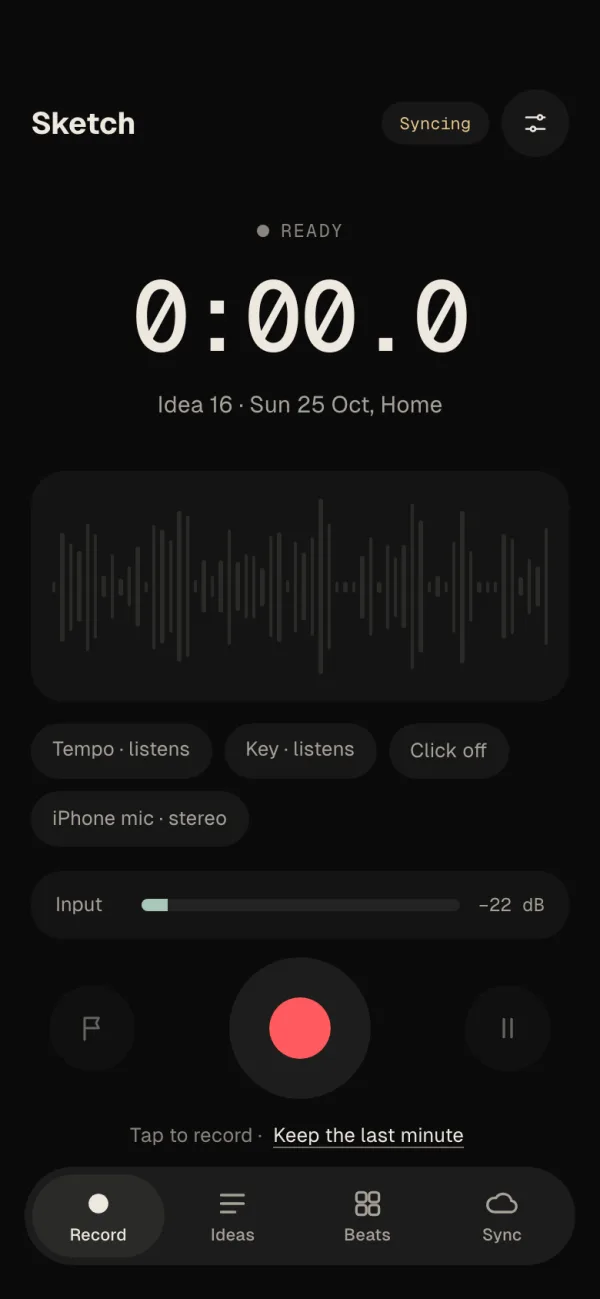
While Record is open, Sketch keeps the last minute. Played something good before you pressed record? Keep it.
The song idea app for your phone. Record a voice memo, hum a melody or tap a beat — Sketch finds the tempo, the key and the chords, and every idea opens in the Velton studio app when you're ready to finish it.
Tap to record · Keep the last minute
Live — tap the red button to record
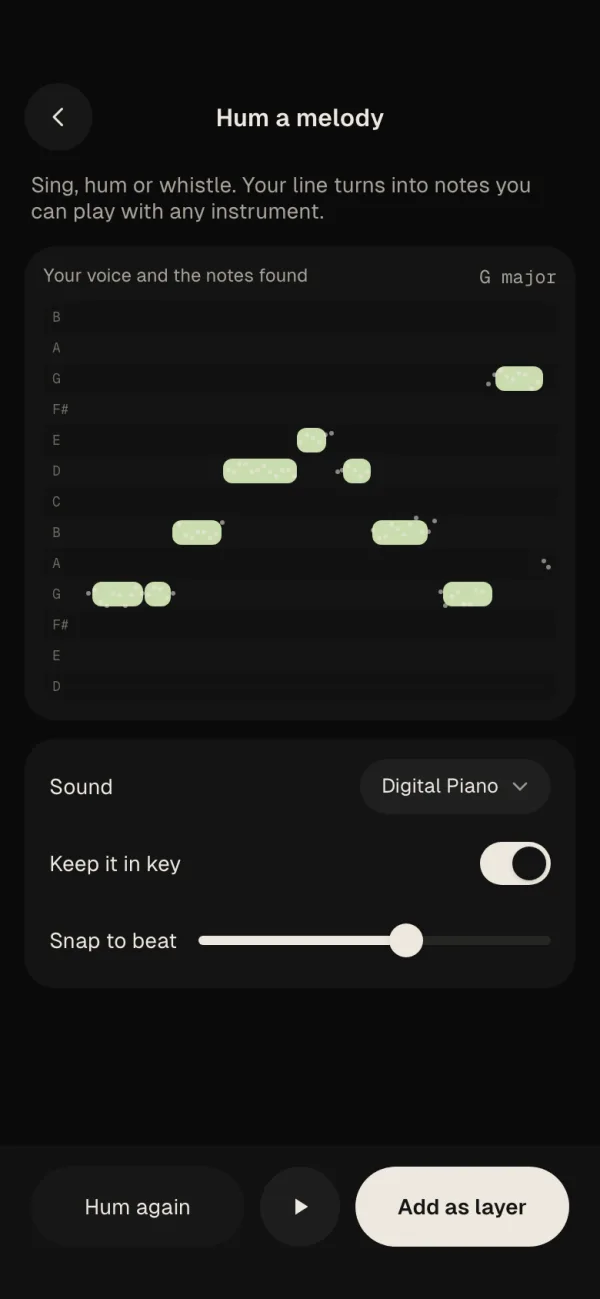
Hum to notes
Scroll to hum a line and watch it become notes.
In your pocket
While Record is open, Sketch keeps the last minute. Played something good before you pressed record? Keep it.
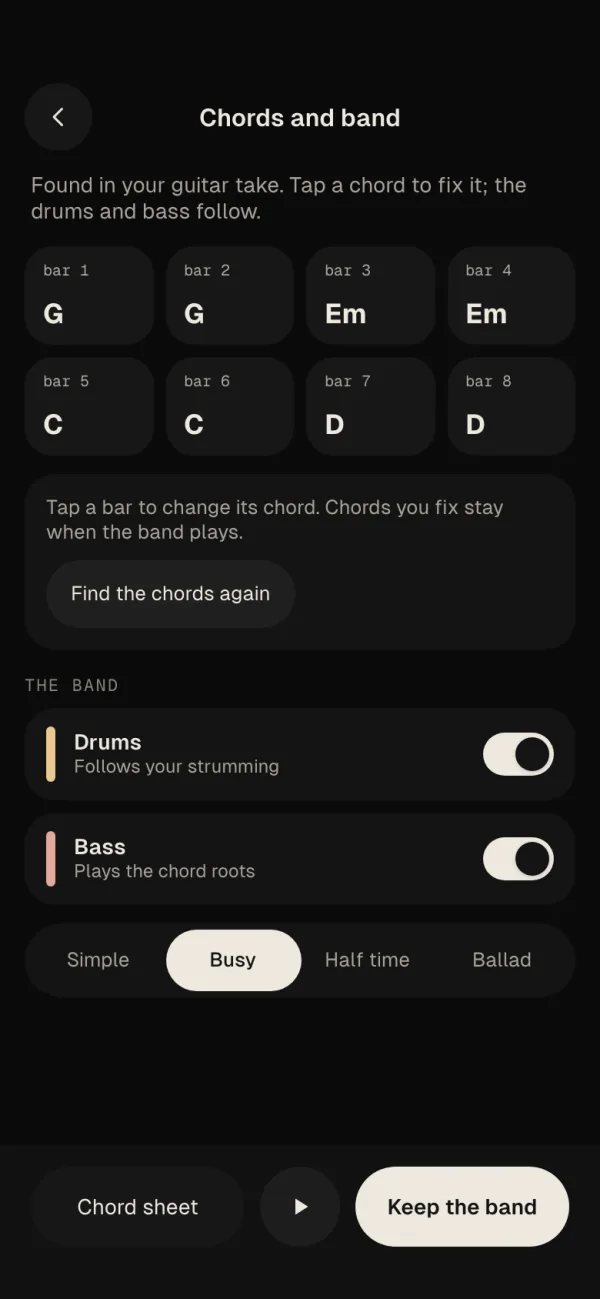
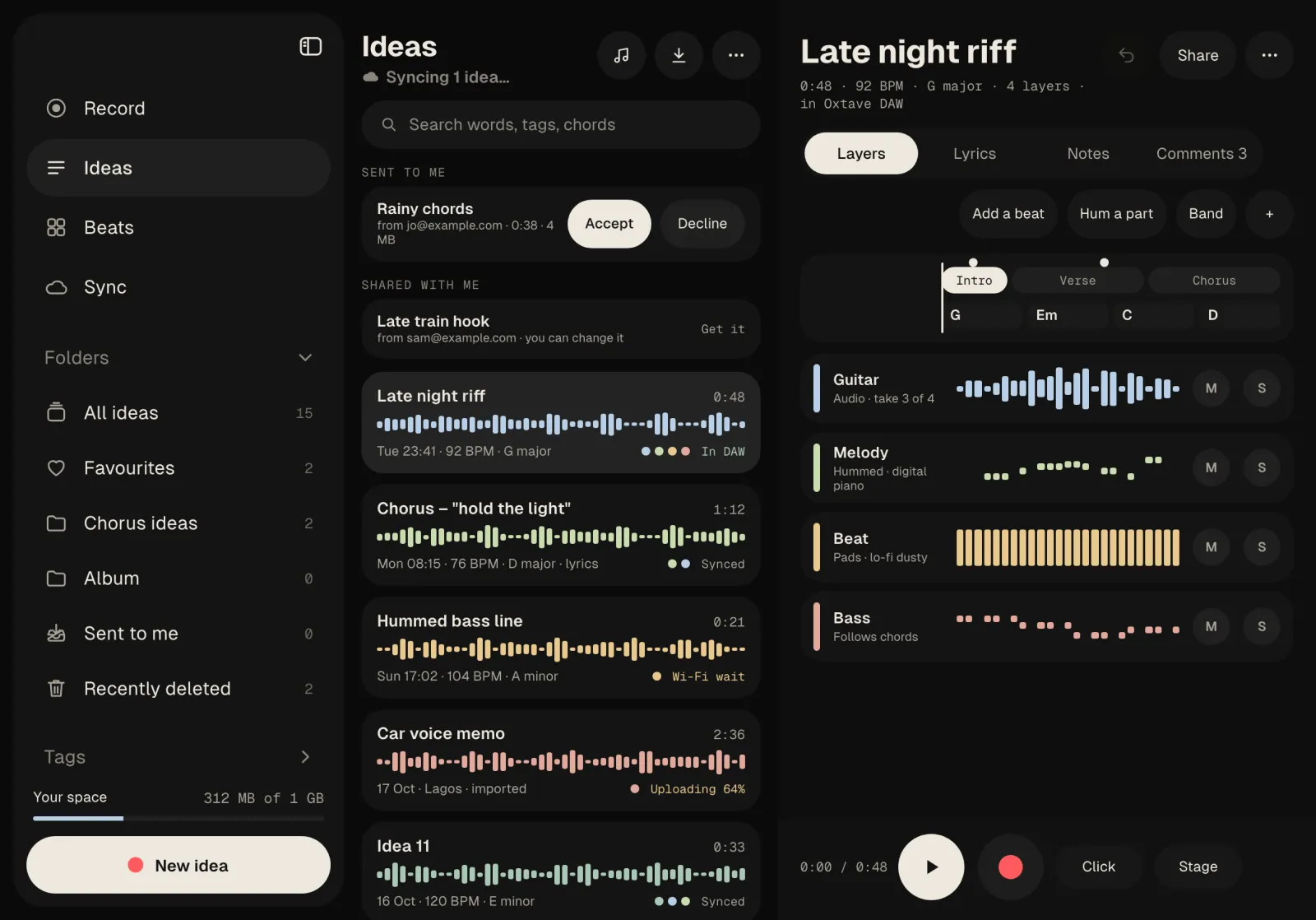
Sketch finds the chords in your guitar or piano take. Fix any you like, and drums and a bass line follow them.
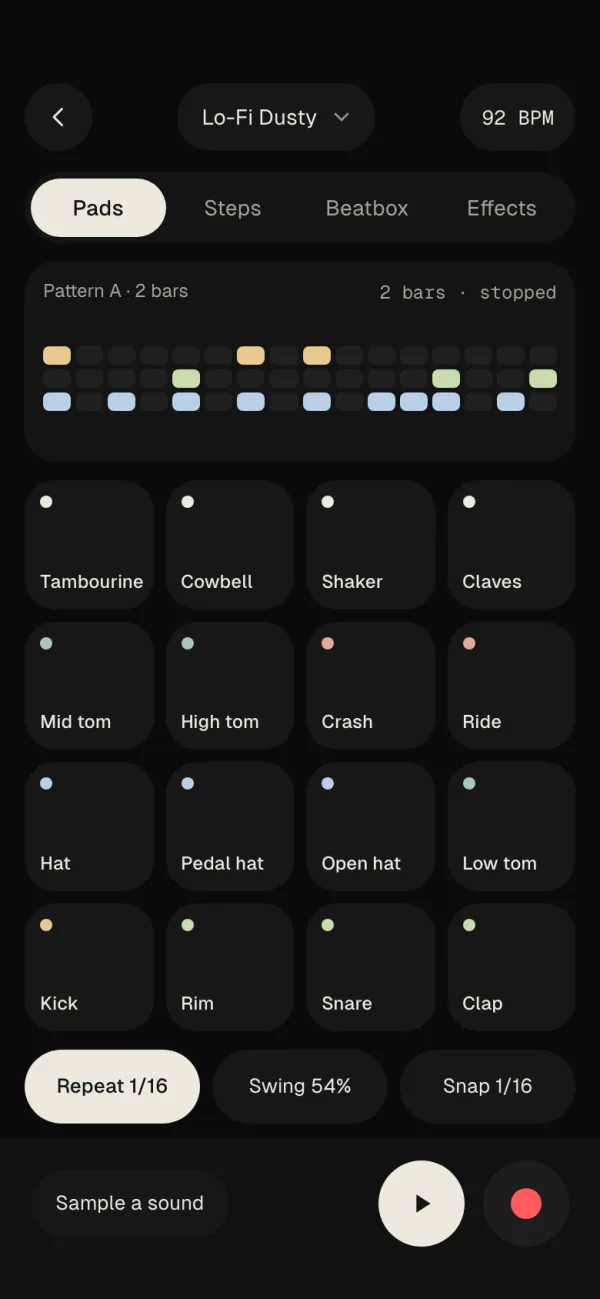
Tap a beat on sixteen pads or the step grid, with swing and note repeat, or beatbox it and get drums.
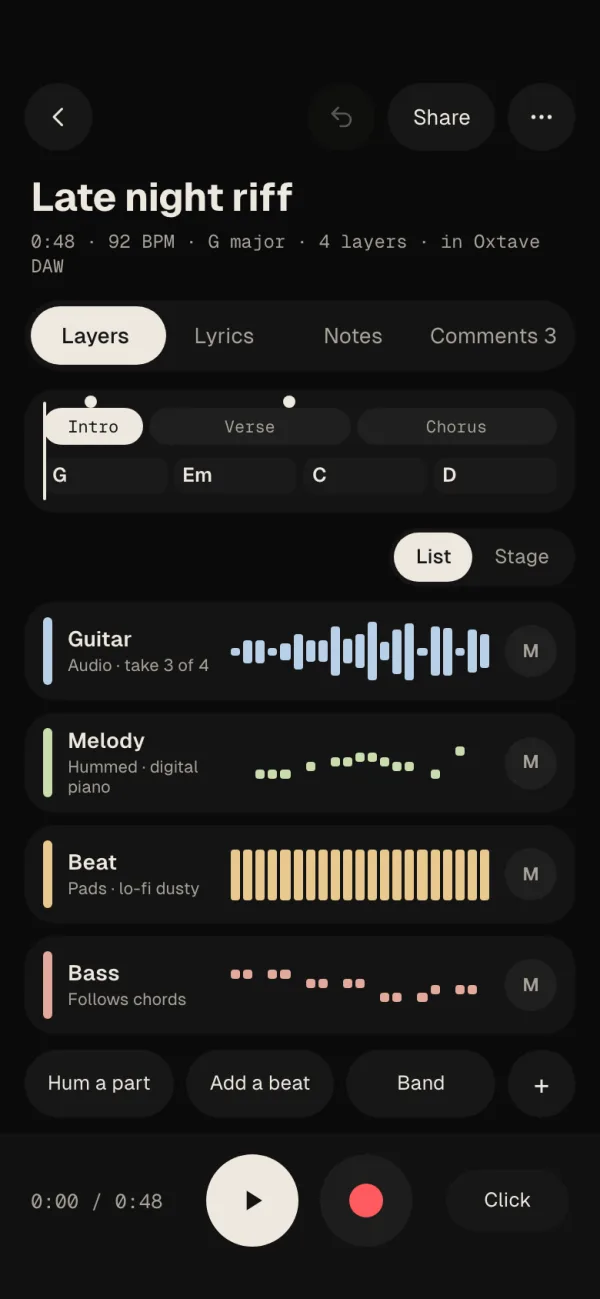
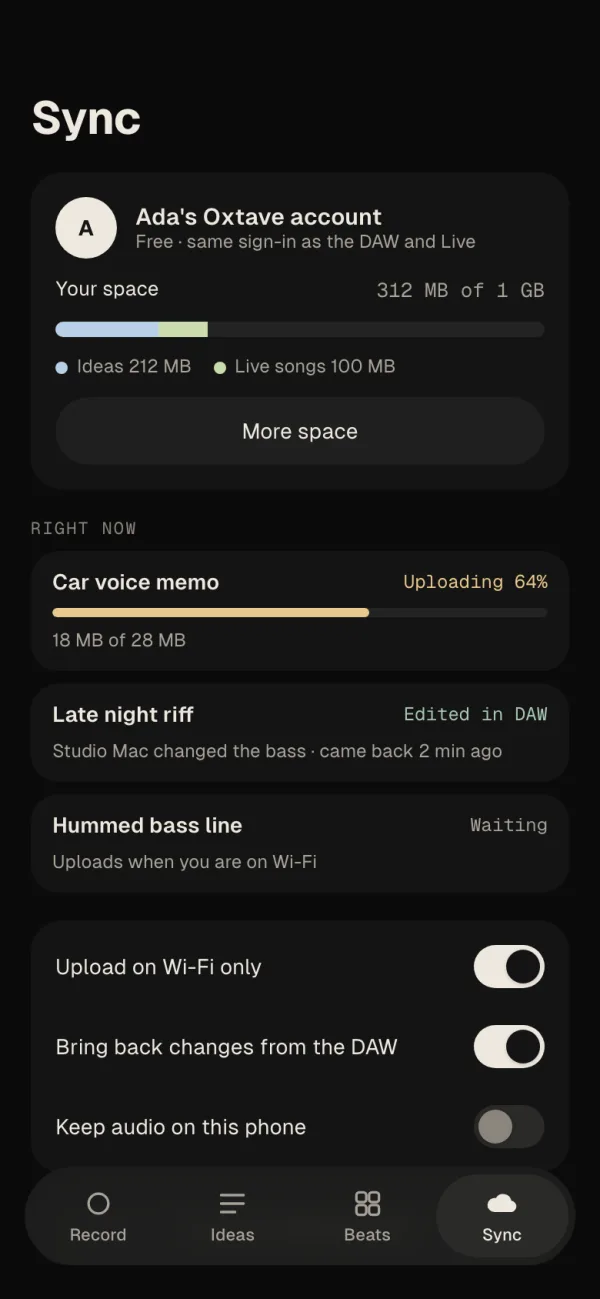
Every idea opens in the Velton studio app as a project. Change it there, and the changes come back to your phone.
Play a part over what's there. Every pass is kept as a take, so you can pick the best one later.
Sketch listens while you play and writes down the tempo and the key, so you don't have to.
A lyric sheet and notes sit with every idea, and the words you sing can be written out for you on the phone.
Every layer has its own level, pan and effects: reverb, delay, EQ, compressor, filter, amp and a clean-up for noisy rooms.
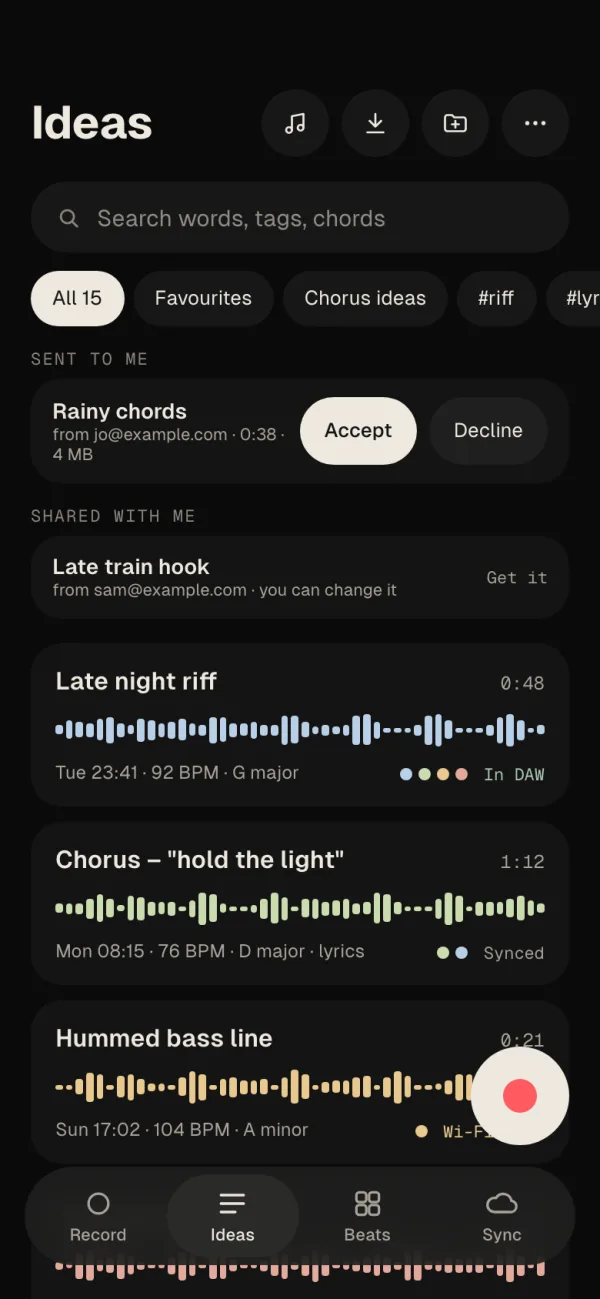
Search the words, tags and chords in every idea. Sort them into folders and mark your favourites.
Play the built-in sounds on the screen or a MIDI keyboard, with one-finger chords and scale lock. Tune up before you record.
Pick a mood and a style and get chords, a tempo, a beat and a bass line to write over.
Send a private link. Friends can listen and leave comments at the exact moment, without an account.
Send a whole idea, with every layer, to another Velton user's phone.
Everything is saved on the phone first. It syncs when you're back online, or only on Wi-Fi if you like.
Start recording from a widget, the Lock Screen, Control Centre, the Action button, Siri, an Apple Watch, or a quick-settings tile on Android.
Export any idea as a ZIP of stems, MIDI, lyrics and chords, or a single file to share. No account needed.
Phone to studio
Sketch is the pocket half of the Velton studio app. Your ideas are waiting on your computer, already in time and in key.
Record, hum, tap a beat. Sketch writes down the tempo, the key and the chords.
Signed in, the idea shows up in the studio app's Ideas panel. Play it, or open it as a project.
Layers become tracks, sections become markers, chords land on the chord track. Save, and the phone gets the changes.
Straight from the app
Questions
A phone app for catching song ideas: voice memos, hummed melodies, rough beats and a few layered takes. It finds the tempo, key and chords for you, and every idea opens in the Velton studio app as a normal project.
No. Recording, the music tools and export all work without one. Sign in with your Velton account to sync ideas between your phone, tablet and computer, and to share them.
Signed in, your ideas show up in the Ideas panel of the Velton studio app. Open one and it becomes a project: layers as tracks, sections as markers, chords on the chord track. Save, and the changes go back to the phone.
No. Recording and the music tools run on the phone, including turning sung words into text. The internet is only used to sync and share.
1 GB for your own ideas, free. Ideas you share with others count against your space, not theirs. More space will be available if you need it.
It's being tested on real phones now. The download will appear on this page and the download page when it's ready.